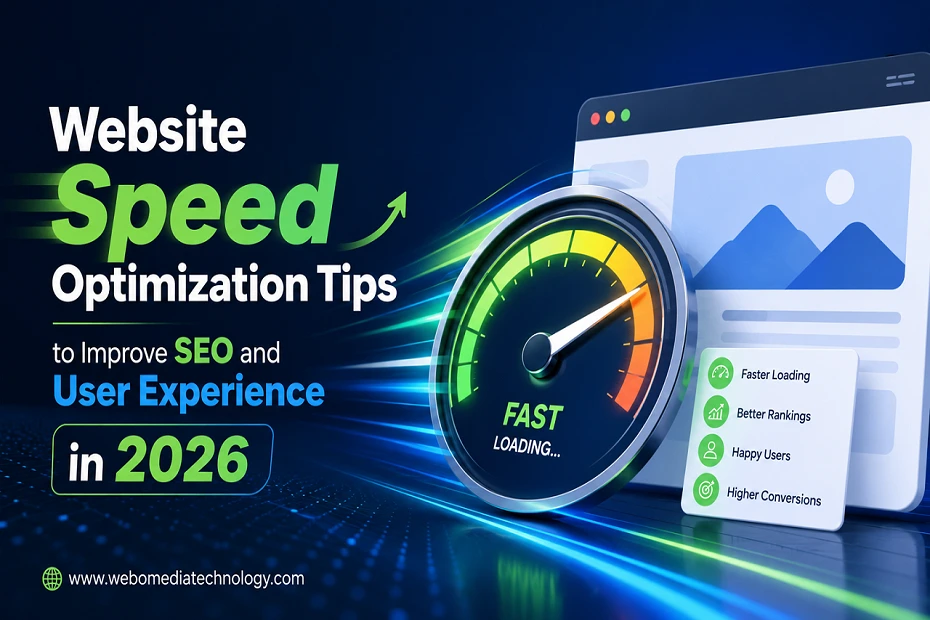

In today’s fast-moving world of the internet, site speed is an important factor for both SEO (search engine optimization) and user experience. A slow website will have a negative effect on engagement, bounce rates and conversions. For business websites, eCommerce stores, or service-based platforms, website speed optimization is not a luxury, it’s a must.
Speed of a website cannot be considered as a technical metric, but it certainly impacts the user experience of your website. The user of today, particularly mobile users, requires instant access to content. A few seconds delay can cause visitors to turn away without visiting your offerings.
This article covers the significance of site speed, some of the most frequent speed issues and how you can make your website fast and quicker for higher search engine positions and pleasing visitor experience.
What is Website Speed Optimization?
Optimization of website speed is about improving the website loading speed and reaction speed of the site to user interactions. This encompasses image optimization, code, hosting, caching, scripts and server response time.
A fast-loading site also helps with smooth navigation, improves user satisfaction and helps to boost their SEO ranking since Google came up with Core Web Vitals.
Increased rankings, engagement and conversions are benefits of website optimization.
Why Does Website Speed Matter for SEO
- Improved User Experience
Users expect speedy websites. Faster websites will hold visitors to your site and allow a smooth navigation.
- Lower Bounce Rate
Slow websites are a turnoff. When visitors are kept on your site with speed increases, bounce rates go down.
- Better mobile performance
With the majority of users accessing the web via mobile devices, and Google’s mobile-first indexing, mobile speed optimization is crucial.
- Increased Conversion Rate
Sites that load faster will please their visitors and will increase the number of leads and sales and inquiries your site will generate.
Also Read: Santa Barbara Web Design Services That Drive Traffic, Leads & Business Growth
Why Websites Slow Down?
Heavy Pictures
Uncompressed images are large and consume bandwidth and delay page load time.
Bad Hosts
Poor quality hosting services are not able to handle traffic efficiently and this leads to a slower performance.
Too many plugins
A lot of plugins can really drag down a site, particularly one that’s based on WordPress.
Not optimized code
A large amount of CSS and JavaScript code can slow the rendering time of the page.
No Cache
If the website doesn’t use caching, it will load all the resources again every time someone visits. This will also slow down the load time.
ERR_TOO_MANY_REDIRECTS
Redirection delays and diminishes user experience.
Best Ways to Improve Website Speed
- Optimize the pictures
Optimise images without compromising quality. Newer formats such as WebP can save a lot of space.
Best Practices:
- zip types
- Upload pictures after downloading
- Lazy load
- Avoid large images
2. Use a Content Delivery Network (CDN).
A CDN consists of servers all over the world with the data of your website, when users visit your site, they will be served from the closest server, which will reduce load time.
- Use browser caching
Caching helps files from web pages be stored locally on a user’s devices, so subsequent visits to the Web pages are faster, and the servers are less stressed.
- Minify the code
Minifying CSS, JavaScript and HTML files takes out the excess of spaces and comments. This will lead to smaller overall file size and will make the load time quicker.
- Upgrade Hosting Plan
The performance is directly affected by your hosting provider.
Consider for speed and reliability:
- VPS (Virtual Private Server).
- Cloud hosting
- Dedicated Hosting
- Optimize WordPress Sites.
To run a WordPress website, it requires optimization from time to time.
Tips:
- Apply light themes
- Unused plugins remove
- Database optimization
- Use cache plugins
- All current Keep
- Minimize HTTP Requests
Each file on a web page, needs an HTTP request. Faster loading and less elements.
- Mobile Optimization
Optimization for mobile is crucial for SEO and user experience.
To optimize for mobile, keep in mind these tips:
- Utilize responsive design
- Optimize Images
- Limit pop-ups
- Font Optimization
- Use light layouts
Also Read: Temecula Web Design Services That Drive Traffic, Leads & Business Growth
Understanding Core Web Vitals
The core web vitals are the Google’s core metrics for measuring user experience:
Largest Contentful Paint (LCP): Measures the speed of loading
First Input Delay (FID): Responsiveness measure visual stability
Cumulative Layout Shift (CLS): The higher these scores, the higher they are for user experience and for search rankings.
Tools for Testing Website Speed: Some of the tools to analyze your website performance include:
Google PageSpeed Insights: Generates performance analysis and recommendations.
GTMetrix: These deliver information and suggestions for development.
Summary
Fast website speed has an important role in SEO and UX today. It has an impact on your rankings, traffic, engagement and conversions. Optimizing images, optimizing code, upgrading the hosting, and using performance best practices are just a few things that businesses can do to improve their website’s performance.
Tuning for speed isn’t something to be done once and forgotten. It must be continually monitored and updated. Those businesses that prioritize performance and user experience will continue to thrive and grow in 2026 and beyond.
FAQs
1. What’s the ideal website load time?
The optimum time for a website to load is 2-3 seconds for optimal user and SEO experience.
2. Are page load times a factor in rankings?
Yes, Google takes website speed and Core Web Vitals into consideration when ranking websites.
3. Which tools are best to use for speed test?
Google Page Speed Insights and GTmetrix are popular tools to use.
4. Do images slow down websites?
Yes, large, un-optimized images do account for much of the slow speed.
5. How important is Mobile speed in SEO?
Speed is certainly significant on mobile devices, due to mobile-first indexing.
6. How often should one test to monitor performance?
Monitor website performance at least monthly.